If you want to learn how to buy Monero using a cryptocurrency exchange, this guide will walk you through the exact process.
In this post, we will use Bittrex to exchange Tether for Monero.
Whether you are new to crypto or expanding your portfolio, this step by step guide will help you confidently complete your Monero purchase.
What Is Monero?

Monero, often abbreviated as XMR, is a privacy focused cryptocurrency designed to offer secure, untraceable transactions.
Unlike many other cryptocurrencies, Monero emphasizes anonymity and fungibility.
Many investors are attracted to Monero because of its strong privacy features and active trading markets.
Why Use Bittrex to Buy Monero?
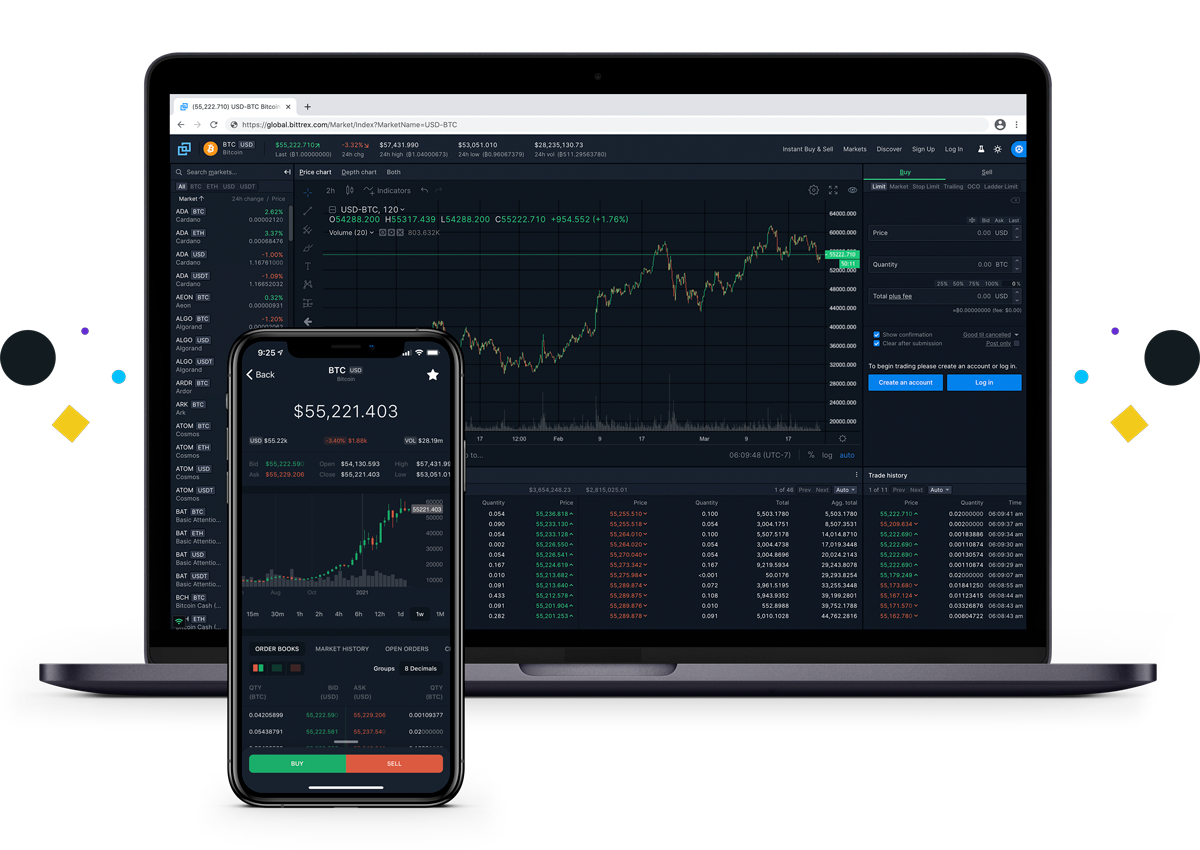
Bittrex is a well known cryptocurrency exchange that allows users to trade a wide range of digital assets. It offers:
- Advanced trading tools
- Transparent order books
- Competitive liquidity
- A straightforward interface
Before trading, make sure your Bittrex account is verified and funded.
Example Scenario: Converting Tether to Monero
Let’s assume:
- You own 20 Tether
- You want to exchange it for Monero
- You want the transaction completed quickly
Tether is commonly traded under the ticker USDT, and it is a stablecoin designed to track the value of the US dollar.
Step by Step: How to Buy Monero on Bittrex
1. Log Into Your Bittrex Account
Sign into your verified Bittrex account. Ensure your Tether balance is available in your wallet.
2. Navigate to Markets
Once logged in:
- Click on the Markets section
- Search for the Monero trading pair, typically XMR USDT
You are looking for the Monero to Tether trading market.
3. Select the Monero Market
Scroll through the available markets and locate Monero. Click on it to open the trading page.
You will now see the trading interface, including:
- The price chart
- The order book
- The buy and sell panels
Understanding the Order Book
On the trading screen, you will notice two important columns:
- Left side: Sell orders
- Right side: Buy orders
This is known as the order book.
In traditional finance, this difference is called the bid ask spread.
- The bid is the highest price buyers are willing to pay
- The ask is the lowest price sellers are willing to accept
The more liquid an asset is, the narrower the spread becomes. Narrow spreads are desirable because they allow you to enter and exit positions quickly with minimal price difference.
Placing Your Monero Buy Order
If you want your transaction to execute quickly:
- Look at the lowest ask price in the sell orders column
- Enter a price close to that value
- Enter the amount of Tether you want to spend, for example 20 USDT
- Bittrex will automatically calculate how much Monero you will receive
For example, if Monero is trading at approximately 289 USDT per XMR, your 20 USDT will buy a fraction of one Monero.
Final Step: Click Buy Monero
Once everything looks correct:
- Confirm the amount
- Review the price
- Click Buy Monero
Your order will execute based on market conditions.
If you placed a competitive price near the lowest ask, the transaction should complete quickly.
Key Takeaways
- Always verify your Bittrex account before trading
- Use the Markets section to find the correct trading pair
- Understand the bid ask spread before placing orders
- Liquidity matters when entering and exiting positions
- Double check wallet addresses if transferring funds
Risk Reminder
Cryptocurrency markets are volatile. Prices can change rapidly, and trades are irreversible.
If you are new to crypto trading, start with small amounts to familiarize yourself with the platform.
Conclusion
Buying Monero on Bittrex is a straightforward process once you understand how trading pairs and order books work.
By navigating to the correct market, analyzing the bid ask spread, and placing a competitive order, you can efficiently exchange Tether for Monero.
Take your time, review each step carefully, and always prioritize security when trading digital assets.



Leave A Comment